Guardian Wired1.0.0
Publisher Description
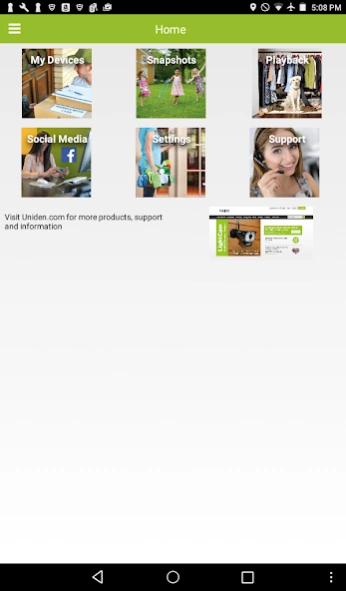
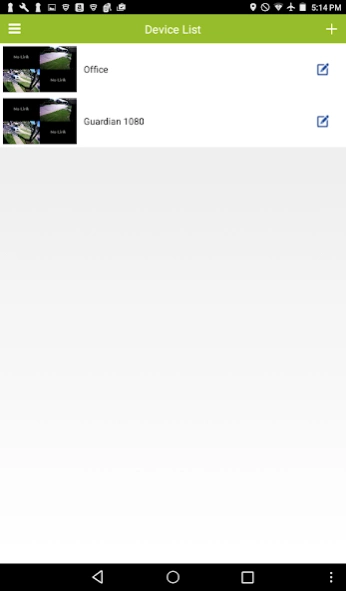


View live and recorded video from your smartphone when and where you need.
For more than 50 years, Uniden has been creating innovative technologies that help you stay in touch and stay safe. From home security systems and security cameras to radio scanners and two-way radios, we make products that make it simple to stay connected.
Uniden Guardian brings the full power of home surveillance to your fingertips. View live and recorded video from your smartphone when and where you need.
• View live video and playback of video
• Choose a single channel or up to 16 channels depending on your system
• Take remote snapshots of live video
• Compatible with Uniden’s full range of DVR and NVR models
• Get help directly from your mobile device with FAQs, Help Videos, Documentation and contacting customer service
About Guardian Wired
The company that develops Guardian Wired is Uniden Corporation. The latest version released by its developer is 1.0.0.
To install Guardian Wired on your Android device, just click the green Continue To App button above to start the installation process. The app is listed on our website since 2017-03-14 and was downloaded 11 times. We have already checked if the download link is safe, however for your own protection we recommend that you scan the downloaded app with your antivirus. Your antivirus may detect the Guardian Wired as malware as malware if the download link to com.uniden.guardian is broken.
How to install Guardian Wired on your Android device:
- Click on the Continue To App button on our website. This will redirect you to Google Play.
- Once the Guardian Wired is shown in the Google Play listing of your Android device, you can start its download and installation. Tap on the Install button located below the search bar and to the right of the app icon.
- A pop-up window with the permissions required by Guardian Wired will be shown. Click on Accept to continue the process.
- Guardian Wired will be downloaded onto your device, displaying a progress. Once the download completes, the installation will start and you'll get a notification after the installation is finished.
Program Details
System requirements
Download information
Pricing
Version History
version 1.0.0
posted on 2017-03-14
New UI with updated navigation
Home screen provides quick links to all areas of the app
Support functions
- Contact customer care directly from the app
- View Help Documents
- View FAQs
- View Help Videos
version 1.0.0
posted on 2017-03-14
New UI with updated navigation
Home screen provides quick links to all areas of the app
Support functions
- Contact customer care directly from the app
- View Help Documents
- View FAQs
- View Help Videos
